.
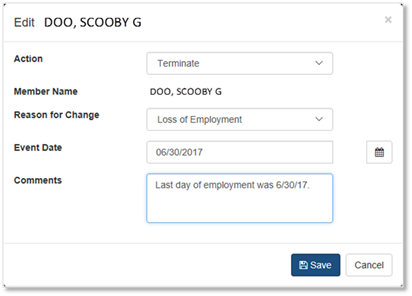
.To Terminate (remove) an employee from the Office Employee Roster:
•From the Office Employee Roster screen main menu, click the ‘Edit’
button .
•Select ‘Terminate’.
•Complete the ‘Edit’ dialog box when it appears.
•Click ‘Save’
•Click ‘OK’ when the confirmation window appears.